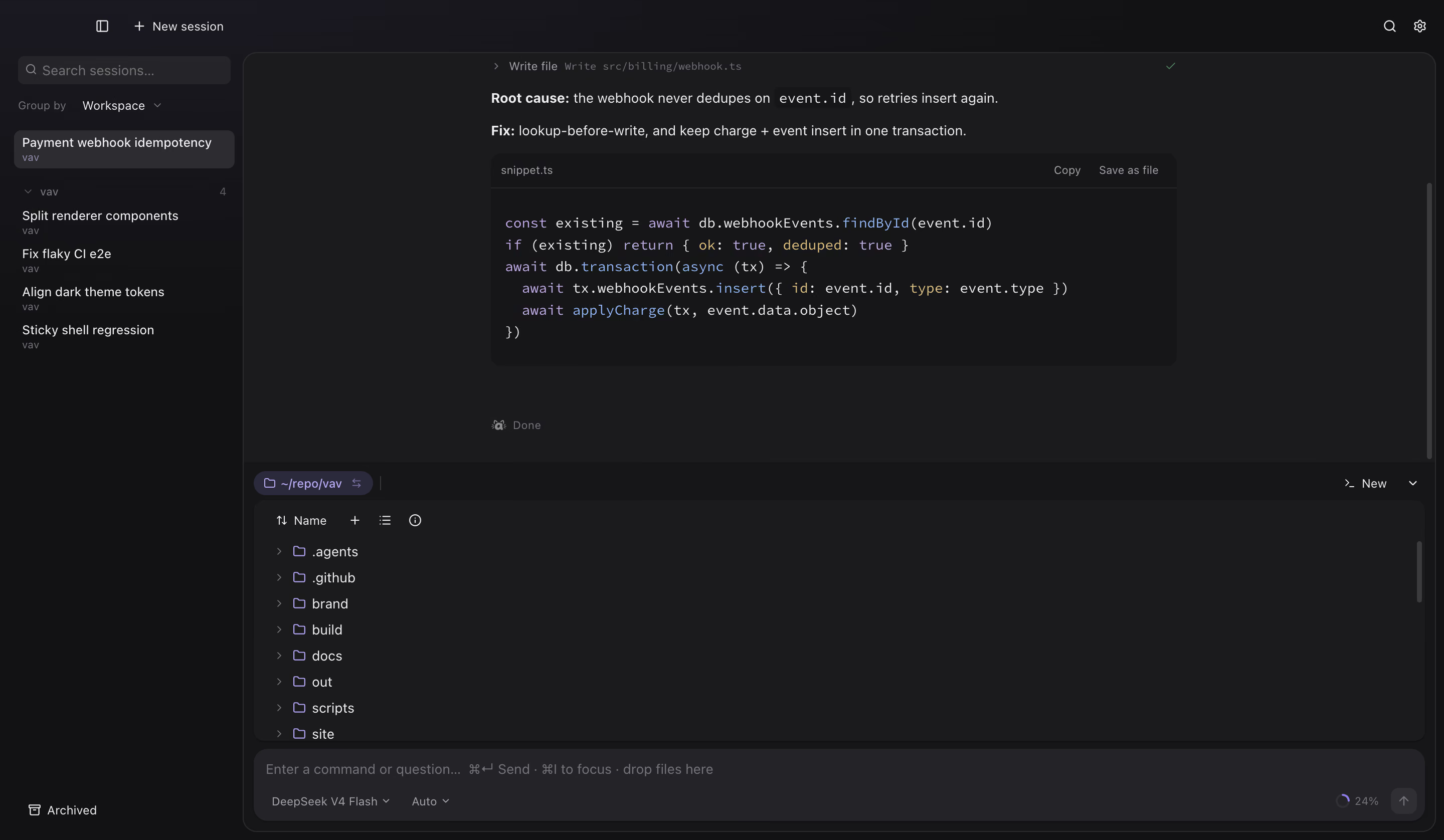
Not a chat box with a file picker — pick on the document, draw in the thread, pop out a
clip, or split two CLIs.
01
Pick on the Office file
Open a deck, a sheet, or a brief. Click the title, a card, a cell — then ask. The
agent writes the same path on disk. Not a Word-style canvas.
Selection is the prompt. The file stays the source of truth.
02
Mermaid + Vega-Lite
Flows and charts render in the thread — Mermaid for the path, Vega-Lite for the
numbers. Copy, download, or open the source file beside the chat.
Same turn: a flowchart and a bar chart, both live.
03
App Clip
The agent can write a small interactive app in the thread — a board, a calculator, a
teaching aid. Pop it out with View in window. It is a real widget, not a screenshot.
```app in chat, or a thin overlay from an HTML file.
04
Swarm
Flip the surface and split the pane. Claude on the left, Codex on the right — each a
real TUI in its own column. ⌘D splits; arrow keys move.
Optional under Settings → CLI Agents. Off until you want it.
05
⌘⇧↵ Quick Ask
From anywhere on your Mac, ⌘⇧↵ opens a narrow companion column. Ask one
thing — a path join, a regex, a name — get the answer, close it. No full workspace.
Built for the interrupt: short, local, done.
Open any document window
Mermaid source, PDF, decks, sheets, Markdown — preview on one side, agent on the other.
Mermaid fileOpen the .mmd as a canvas, pick a node, ask about the failure branch.PDFStand-up summary from the brief, then a Mermaid follow-up flow — same window, same
turn.PPTXLoad a deck skill, rename a slide, tighten bullets — tool cards show every
write.CSV / TSVAsk over the sheet, get Vega-Lite in chat, write a one-page PDF report to
disk.DOCX / XLSXSkill-backed edits on workbooks and briefs — add a column, refresh, stay in the
window.MarkdownRead the notes, rewrite install steps — every fs_read / fs_write stays auditable
in the transcript.Charts in chatMermaid flows and Vega-Lite plots render inline — copy, download, keep moving.
Format knowledge
What each type can do in a document window — preview, ask beside it, edit in place, or
convert first. Capabilities match the app, not a wish list.
PreviewOpen in a file window
AskChat grounded in the open file
EditIn-place edit / agent write to the same path
ConvertSave As a modern format; original untouched
Read-onlyPreview + ask; no in-place write
SkillAgent loads a format skill to create or edit
FormatCapabilitiesNotes
.docxWord (OOXML)
PreviewAskEditSkill
Opens in Read by default; switch to Edit or use the docx skill to write the open path.
.docWord (legacy)
PreviewAskConvertRead-only
Preview via convert to DOCX/HTML (macOS). Edit means Convert → Save As .docx; original
stays put.
.xlsxExcel (OOXML)
PreviewAskEditSkill
Sheet preview + agent edits through the xlsx skill on the same workbook path.
.xlsExcel (legacy)
PreviewAskConvertRead-only
Opens in the spreadsheet preview. To edit, Convert → Save As .xlsx; original untouched.
.pptxPowerPoint (OOXML)
PreviewAskEditSkill
Slide canvas + pptx skill for renames, bullets, and deck writes.
.pptPowerPoint (legacy)
Read-onlyConvert
No built-in .ppt converter. Export to .pptx first, or open with the system default app.
.pdfPDF
PreviewAskRead-onlySkill
Preview and ask only in the window. Create, fill, or reformat via the PDF skill to a
new path.
.csv.tsvTables
PreviewAskEdit
Grid preview, charts in chat, direct text writes back to the sheet.
.md.txtMarkdown & text
PreviewAskEdit
Full in-place edit; agent fs_read / fs_write on the open file.
.mm.mmdMind maps & diagrams
PreviewAskEdit
Rendered canvas with pick-to-ask; source stays editable text on disk.
.heicHEIC image
PreviewConvertRead-only
View in-app; Edit converts to JPEG via Save As. Original HEIC unchanged.
.zipZIP archive
PreviewRead-only
Structure preview only — not a full archive utility.
Get VAV
Latest GitHub Release builds. Follow install notes if your OS warns on open.